
Annual Xcode upgrades are one of the most business‑critical projects for the TinderⓇ iOS team. They gate our ability to ship on new iOS versions, stay compliant with App Store requirements, and adopt platform features that AppleⓇ wants to showcase. Each upgrade has meant weeks of discovery, thousands of failing tests, and a long tail of work tickets spread across dozens of teams. The cost of getting them wrong ranges from delayed releases to broken experiences for millions of members.
Last year’s Xcode 26 cycle came with added pressure: leadership interest in Apple’s new Liquid Glass design language, a compressed release timeline, and a weekly release cadence that left little room for mistakes.
Tinder engineers are always up for the challenge, but we were eager to try out a new tool in our toolbox: Cursor, powered by large language models and integrated directly into our day‑to‑day development workflow. Instead of treating the upgrade as a one‑off fire drill, we had an opportunity to use it as a test case for AI‑amplified development on a scaled, mature iOS codebase.
It could not have gone better. Cursor‑driven changes resolved nearly all of the 500+ Xcode 26 upgrade issues automatically, and feature teams only had to review a focused set of changes instead of starting from a blank slate. The upgrade shipped as part of Tinder iOS 16.26.0 without incident.
Find out how we got there, what made this upgrade possible, and why we see AI as a force multiplier for small, senior teams.
Life Before AI: Xcode Upgrades at Tinder
To understand what changed with Cursor, it helps to look at the pre‑AI baseline.
The Tinder iOS codebase is on the order of 1.5M lines of Swift and Objective‑C, spread across hundreds of Bazel targets and used by ~50+ iOS engineers day‑to‑day. Each Xcode upgrade touches that entire surface area: compiler behavior, Swift language changes, XCTest behavior, toolchain updates, and thousands of snapshot tests.
Over the years, we built an increasingly sophisticated XcodeUpgrade pipeline to cope with the work:
- For Xcode 13.1, we hit roughly 3,000+ failing snapshot tests, including P0/P1 UI regressions, and ultimately delayed the upgrade because we couldn’t safely validate all the changes in time.
- For Xcode 14.0.1 and 14.3, we leaned heavily on custom tooling to analyze failures, regenerate snapshots, and generate hundreds of tickets targeting the right teams. Integrating fixes, regenerating artifacts, and keeping an integration branch green required dedicated maintenance windows and careful orchestration, even with automation.
These investments paid off. We stopped doing fully manual upgrades long ago, but the pattern was still the same:
- Run the new Xcode against the codebase.
- Generate a long list of build errors, warnings, and test failures.
- Spread that work across the organization.
- Spend the next weeks chasing down edge cases, retrying CI, and keeping an integration branch alive.
Why Xcode 26 Was Different
Xcode 26 raised the stakes in a few ways:
- It was the unlock for Apple’s iOS 26 Liquid Glass design update and new UI elements.
- If we could launch our Liquid Glass redesign in time, Tinder would be featured in a high-visibility Apple campaign.
- The timeline was compressed by our weekly release cadence and the desire to pair the upgrade with a beta program and significant UI/UX changes.
Combined, this meant we couldn’t afford a months‑long, all‑hands‑on‑deck upgrade. We needed the core Xcode 26 migration to be as close to “mechanical” as possible so that teams could spend their energy on higher‑order problems: design quality, launch readiness, QA strategy, and stakeholder alignment.
This was also the first upgrade we ran after deploying Cursor at Tinder. In an internal post summarizing the effort, we described the impact this way:
“This year I typed prompts into Cursor and had it resolve nearly 100% of the Xcode 26 upgrade issues (>500 issues) for me automatically. Moreover, impacted teams will only have to review a focused set of changes this time around, instead of starting from scratch as in past upgrades.”
The Foundation: Years of Tooling and Hermeticity
We didn’t start from zero. Before we ever pointed Cursor at Xcode 26 errors, we had already spent years pushing the iOS stack toward:
- A hermetic Bazel toolchain, where all external binaries are versioned, fetched deterministically, and run in controlled sandboxes rather than bespoke developer environments.
- A dedicated tooling codebase for Swift‑based CLI tools (e.g. XcodeUpgrade, snapshot pipelines, CI orchestration) built and tested via Bazel with high code coverage.
- Graph‑aware CI with bazel-diff, allowing us to run only the tests and targets actually impacted by a change, saving years of compute annually at current scale.
These decisions were made long before generative AI was part of our workflow, but they turned out to be critical for using AI safely and responsibly:
- Hermetic builds mean that if Cursor proposes a batch of changes, we can deterministically validate them via Bazel in CI.
- Strong tests and snapshot pipelines mean we have a safety net when the model proposes edits across many files.
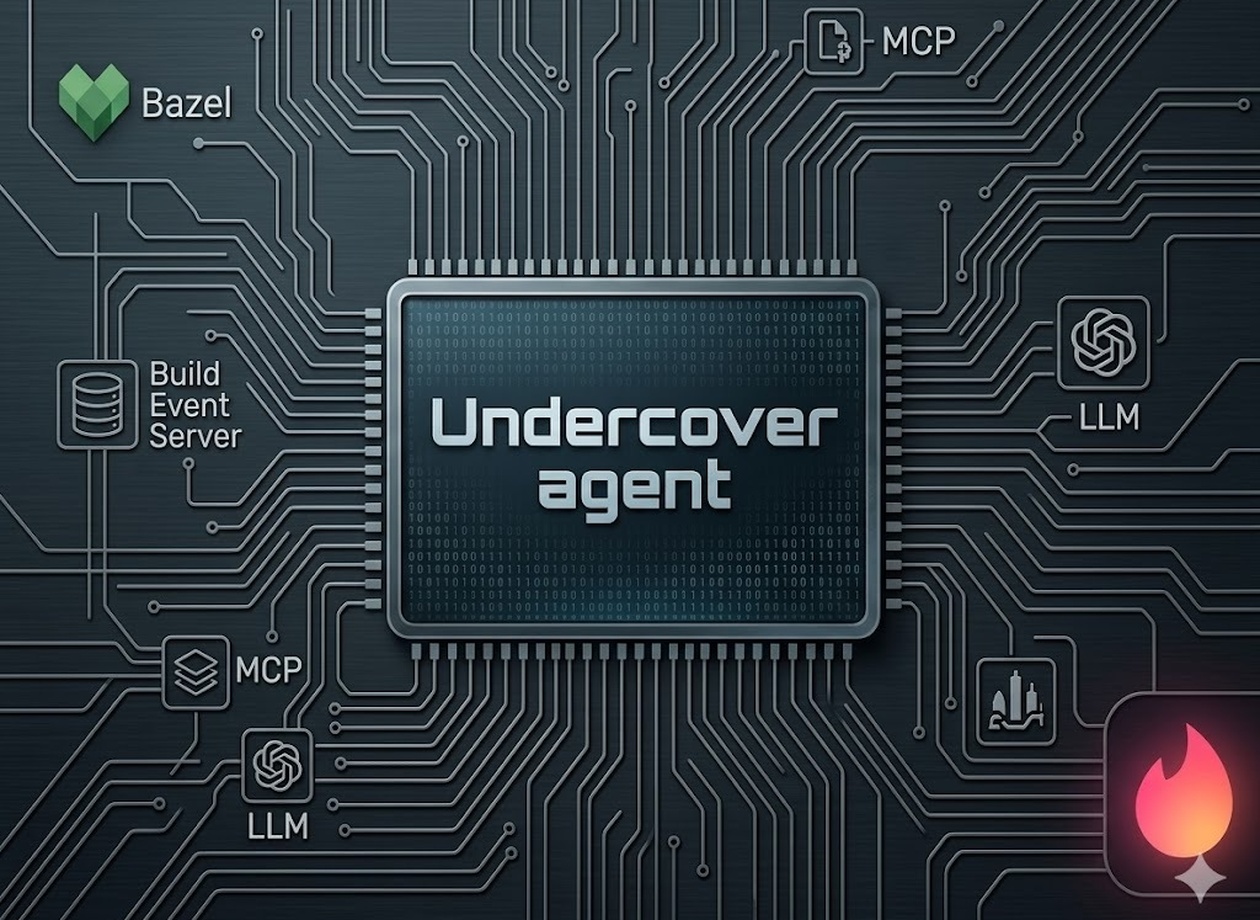
- Tooling DSLs and CLIs (like XcodeUpgrade) give us structured artifacts (e.g. logs, reports, graphs) that we can feed into large language models as well‑formed input rather than raw, unstructured noise.
Given our aforementioned investments, AI-assisted refactoring was a natural evolution of our existing strategies.
Designing the Cursor Workflow
Given that foundation, we treated Cursor as an additional layer in an already automated pipeline, not as a replacement for it. Here’s how it went, step by step:
1. Isolating the upgrade surface
As with previous upgrades, we started by creating an Xcode 26 integration branch, wiring CI to run builds and tests under the new Xcode, and letting the pipeline surface the full set of failures.
From there, we leaned on existing tooling to:
- Collect compiler errors, warnings, and snapshot failures into structured outputs.
- Group issues by error message, target, and subsystem, giving us natural “buckets” of work, similar to how we previously grouped snapshot failures into tickets, but now as AI‑friendly input.
2. Turning logs into prompts
The next step was to convert those structured failure buckets into Cursor prompts that the models could actually reason about. A typical interaction looked less like “fix my project” and more like:
Here is a representative compiler error, the relevant files, and the current build settings. Explain what changed between the Xcode 16.2 and Xcode 26 toolchains that could cause this, and propose the minimal, mechanically safe code change to restore behavior under Xcode 26.
We constrained these prompts heavily:
- No architectural changes: prefer local fixes over broad refactors.
- Preserve behavior by default: assume the current behavior is correct unless there’s a clear, documented bug.
- Match existing patterns: respect our existing module boundaries, DI patterns, and style rather than introducing new ones ad hoc.
Those constraints mirror how we’ve approached other large‑scale efforts, like decomposing the Tinder monolith via compiler‑driven dependency graphs: keep the problem tightly scoped, and use automation to do the heavy lifting.
3. Batching and reviewing AI‑generated patches
Because Cursor understands the repository, we could ask it to apply a single pattern across dozens or hundreds of call sites in a controlled way. For example, when a particular API changed in a way that produced hundreds of similar compiler errors, we would:
- Feed Cursor a small representative sample of failing usages.
- Iterate until we were confident in the proposed transformation.
- Let Cursor generate a patch covering all matching sites.
From there, the process looked very familiar:
- Open a PR with the Cursor‑generated patch set.
- Run Bazel builds and tests in CI, using target selection to keep runtimes reasonable.
- Fix any stragglers (context‑dependent edge cases) either by prompting Cursor again with the new failure or by hand if it was faster.
At no point were we “auto‑merging” changes from an LLM. Every patch went through the same code review and CI gates as any other change.
4. Keeping humans on the hard problems
Critically, we never asked Cursor to make product or UX decisions. For example:
- Prioritizing or downgrading UI/UX defects found during Liquid Glass dogfooding required nuanced judgment and tradeoffs that came from design, product, and engineering leads, not a model.
- Coordinating the beta program, legal reviews, and cross‑team launch timing was fundamentally organizational work.
By offloading the mechanical upgrade work to AI, like fixing compiler breakages, updating call sites, patching repetitive patterns, we freed the core team to focus on these higher‑order challenges.
Impact: A Shorter, More Focused Upgrade Cycle
From a distance, the Xcode 26 upgrade looked similar to previous years: we created an integration branch, ran the upgrade through CI, dogfooded builds internally, and shipped as part of a regular iOS release (16.26.0) to the App Store.
Under the hood, a few things were very different:
- AI resolved almost all of the raw upgrade issues. The initial internal post captured the headline: Cursor automatically resolved nearly 100% of the >500 Xcode 26 issues, with human review on top.
- Feature teams reviewed focused diffs instead of starting at zero. In prior upgrades, teams would receive tickets describing failures and were responsible for figuring out how to fix them. This time, they mostly reviewed concrete, tested patches and weighed in when domain knowledge was required.
Perhaps the most important outcome was where we were able to spend our time:
- Less time: mechanically fixing toolchain‑induced breakages across a large codebase.
- More time: deciding how to sequence Liquid Glass, shape a beta program, and resolve priority conflicts among high‑visibility launches.
AI as an Amplifier, Not a Replacement
One thread that runs through our platform work, whether it’s the Bazel migration, hermetic toolchains, or monolith decomposition, is that automation only works at scale when you already understand the problem deeply. Xcode 26 was no different.
Cursor worked for us because:
- We had already paid down a decade of technical debt around builds, tests, and tooling.
- A small, senior iOS Developer Experience team owned the upgrade end‑to‑end and could make strong calls about what was “safe” to automate and what needed human attention.
- We treated the model as a development amplifier for well‑scoped, high‑volume edits, not as a general replacement for engineering judgment.
This pattern is generalizable:
- If you have a large codebase, strong tests, and a clear definition of correctness, AI can dramatically compress the mechanical part of Xcode upgrades.
- If you don’t have those foundations, AI may just move the chaos around.
For us, the Xcode 26 upgrade proved that the same philosophy that carried us through the Bazel migration and monolith decomposition, tight problem definitions, compiler‑checked transformations, and relentless automation, also scales to an AI‑augmented world.
Where We Go From Here
Xcode 26 won’t be the last upgrade we run this way. In fact we’ve already shipped two additional Xcode upgrades using this approach since adopting 26.0. Going forward, we expect Cursor/AI-based workflows to become the default for:
- Major Xcode and Swift migrations
- Large‑scale, pattern‑driven refactors (for example, adopting new concurrency features or API deprecations)
- Systematic cleanup work that today would mean weeks of manual editing
But the bar for this class of work remains the same: know exactly what you’re doing, build the right safety nets, and let AI handle the parts that are repetitive, well‑scoped, and verifiable.
Xcode 26 wasn’t a break from how we’ve worked in the past at Tinder. It was the next step in a long line of efforts to turn “unsolvable” maintenance projects into something small, repeatable, and, with the right tools, surprisingly pleasant to ship.